Separating Plane Tracks with Datasette
Following up on yesterday's Datasette post, here are some example plots that I made using the tags my parser generates when converting the data. In each plot, I added a clause like "WHERE IsLivermore='1'" to the SQL to the Datasette command.
Passenger Airlines
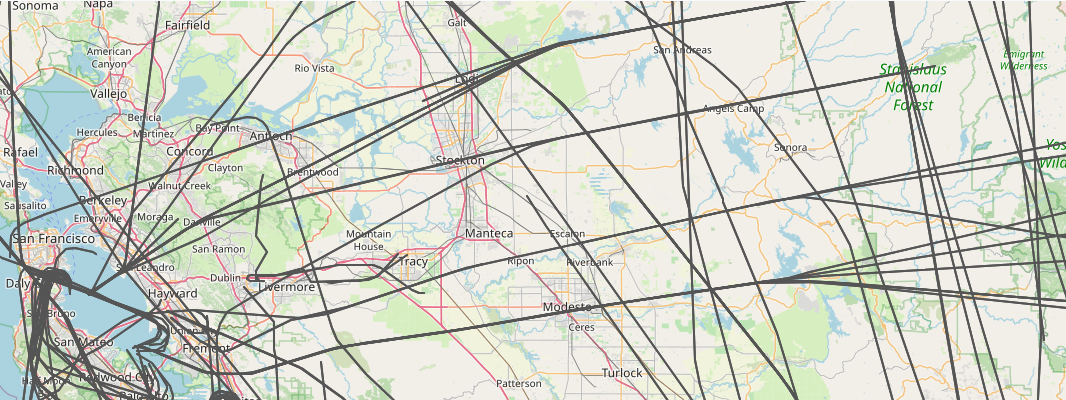
The main planes I see are passenger airplanes. They're boring and get in the way of more interesting flights, so it's useful to tag as many of the big airlines as I can. Below is a plat for just the passenger airlines. The interesting part about this is that you can see how they follow regular corridors in the bay area. If you click on the picture you'll see that planes going west funnel into one of four lanes after they cross the Sierra mountains. It's like Missile Command.
Little Guys
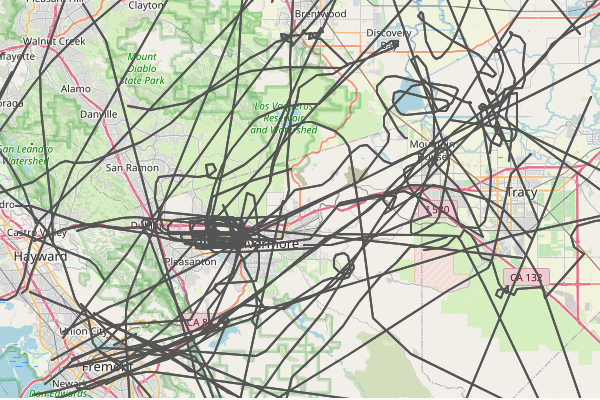
In contrast, if you pick out all the independent planes that are just tagged with a tail fin starting with N, you see the little guys wander all over the bay area. Sometimes the make loops or circle a lake.
Pass Through
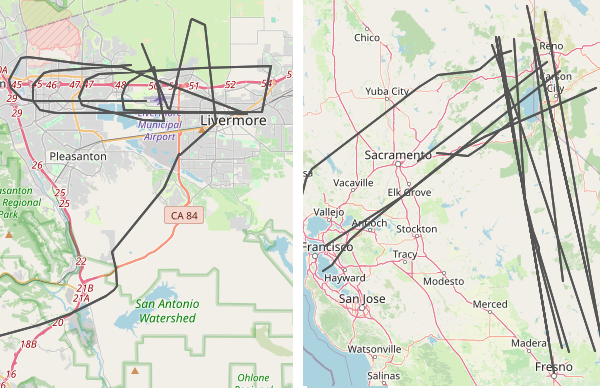
The data parse I wrote also has some geospatial filters that tag any plane that crosses through a specific region. I have a few setup to tag flight around Livermore, including one that looks for low-flying flights over the city core. Usually these flights are connected to takeoffs and landings at the local airport, but sometimes they're just small planes that don't care. I have another filter that tags flights over Tahoe/Reno. I'm always impressed that my SDR sees that far out. Sometimes the planes aren't even traveling to the bay area,